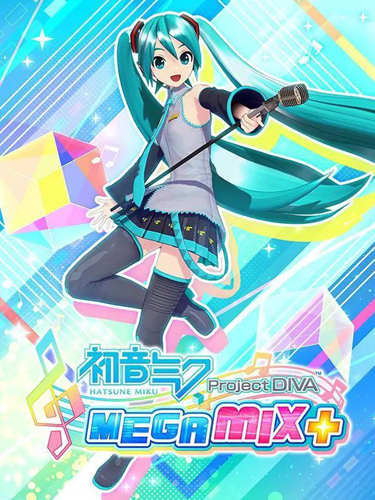
Title: Hatsune Miku: Project DIVA Mega Mix+
Genre: Action
Developer: SEGA
Publisher: SEGA
Release Date: 26 May, 2022
MINIMUM SYSTEM REQUIREMENTS
Requires a 64-bit processor and operating system
OS: Windows 10 / 11
Processor: Intel Core i3-2100、3.1 GHz or AMD Phenom II X4 965, 3.6 GHz
Memory: 4 GB RAM
Graphics: Nvidia GeForce GTX 550 Ti, 1 GB or AMD Radeon HD 5850, 1 GB
DirectX: Version 11
Storage: 35 GB
Take center stage in Hatsune Miku’s premier rhythm game starring the world’s #1 virtual pop star! With a stunner setlist and enormous wardrobe to style, it’s Miku’s ultimate tour—all it needs is you.
1- Run the installer as administrator
2- Click on the page
3- Press the up arrow on your keyboard
4- Click Install
5- Click Continue
6- Select installation destination
7- Click Next
8- Select component
9- Install
Repack Features
Based on Steam Release Build 11004484
– Hatsune Miku: Project DIVA Mega Mix+ (Hypervisor) (INTEL & AMD) – DenuvOwO, available after install in _Crack folder
Game Version: v1.04
DLCs : Item Unlock Key, Extra Song Pack
Language : English, French, German, Italian, Spanish – Spain, Japanese, Korean, Simplified Chinese, Traditional Chinese
– Language can be changed in game settings
Selective Download Feature : you can skip downloading and installing Extra Song Pack
Repack Size : From 23 GB
Final Size : 32 GB
Lossless repack : Nothing removed OR re-encoded
Install Time : 1 – 3 mins
Greetings : Razor12911, KaOsKrew
Repack By DODI
PLZ SEED , DONT HIT & RUN
How to Play The game !
1- Copy the contents of the “DenuvOwO” folder to the game folder
2- Run VBS.cmd as administrator
3- Press 1, restart computer, then on the next boot press F7 when new window will show up (driver signature OFF)
4- Start the game via hypervisor-launcher.exe as administrator
Download Links
- Don’t download Mega / Mediafire Links or password files
Torrent – Click Here – or – Click here – or – Click Here –
SwiftUploads – Click Here – or – Click Here
DataNodes – Click Here – or – Click Here
how to turn off hypervisor after playing the game?
reymaster325, Use VBS command and use option 3 to revert changes but make sure U run as admin