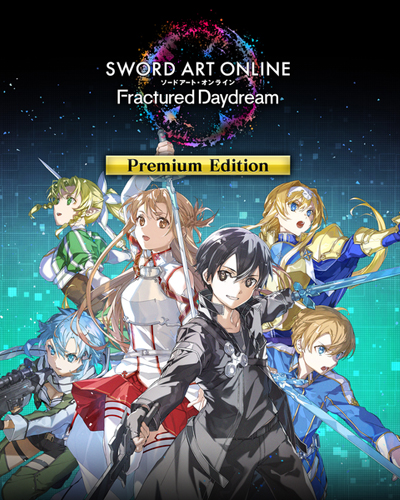
TITLE: SWORD ART ONLINE Fractured Daydream
GENRE: Action, Casual, RPG
DEVELOPER: Dimps Corporation
PUBLISHER: Bandai Namco Entertainment
FRANCHISE: Bandai Namco Entertainment, Sword Art Online
RELEASE DATE: 4 Oct, 2024
MINIMUM SYSTEM REQUIREMENTS
Requires a 64-bit processor and operating system
OS: Windows 10 / Windows 11
Processor: AMD Ryzen 3 3100 / Intel Core i5-8400
Memory: 8 GB RAM
Graphics: AMD Radeon RX 580 / Nvidia GeForce GTX 780
DirectX: Version 11
Storage: 45 GB
In this online co-op action game, enter a distorted version of the SWORD ART ONLINE world. Pick your role in the form of favorite SWORD ART ONLINE characters and team up with 20 players for raids to defeat powerful enemies.
1- Run the installer as administrator
2- Click on the page
3- Press the up arrow on your keyboard
4- Click Install
5- Click Continue
6- Select installation destination
7- Click Next
8- Select component
9- Install
First Few Mins Gameplay
Repack Features
Based on : SWORD.ART.ONLINE.Fractured.Daydream-RUNE ISO Release
Game Version: v1.1.0
DLCs :
– Demon King Costume Set
– Prism Heart Costume Set
– Wild Joker Dress
– Bonus Stamp Set
Language : English, German, French, Italian, Korean, Spanish – Spain, Simplified Chinese, Traditional Chinese, Russian, Thai, Japanese, Portuguese – Brazil, Spanish – Latin America
– Language can be changed in game settings
Selective Download Feature : you can skip downloading and installing Optional Credits Video & Optional Chinese/Korean Intros
Repack Size : From 28.8 GB
Final Size : 42.1 GB
Lossless repack : Nothing removed OR re-encoded
Install Time : 20 – 90 Mins (Installer may show wrong timings)
Greetings : Razor12911, KaOsKrew
Repack By DODI
PLZ SEED , DONT HIT & RUN
Download Links
- Don’t download ads or password files
Torrent – Click Here – or – Click here – or – Click Here
DayUploads (Never Removed) – Click Here – or – Click Here
SwiftUploads – Click Here – or – Click Here
DataNodes – Click Here – or – Click Here