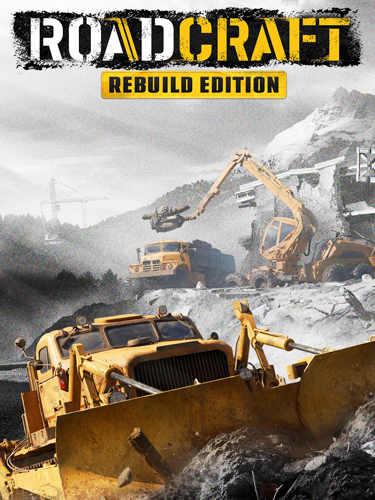
TITLE: RoadCraft
GENRE: Adventure, Simulation
DEVELOPER: Saber Interactive
PUBLISHER: Focus Entertainment
RELEASE DATE: 20 May, 2025
MINIMUM SYSTEM REQUIREMENTS
Requires a 64-bit processor and operating system
OS: Windows 10 (18362 min)/11 64-bit
Processor: AMD Ryzen 5 1500X / Intel Core i5-8400
Memory: 8 GB RAM
Graphics: AMD Radeon RX 590 / Nvidia GeForce GTX 1060 / Intel ARC A580
Storage: 66.6 GB
As the leader of a company specialized in restoring sites devastated by natural disasters, use your construction machinery to restart the local industry. Clear debris and faulty equipment, rebuild roads and bridges damaged by weather, and much more!
1- Run the installer as administrator
2- Click on the page
3- Press the up arrow on your keyboard
4- Click Install
5- Click Continue
6- Select installation destination
7- Click Next
8- Select component
9- Install
First Few Mins Gameplay
Repack Features
Based on : RoadCraft.Rebuild-RUNE ISO Release
Game Version: v4.0
DLCs
– Aramatsu Bowhead 30T
– Invictus Type A Scout
– Rebuild Expansion
– Rebuild Expansion 1
– 4K Texture Pack
Language : English, French, German, Italian, Spanish – Spain, Arabic, Czech, Polish, Russian, Turkish, Portuguese – Brazil, Japanese, Korean, Simplified Chinese, Traditional Chinese
– Language can be changed in game settings
Selective Download Feature : you can skip downloading and installing 4K Texture Pack
Repack Size : From 21.5 GB
Final Size : 66.6 GB
Lossless repack : Nothing removed OR re-encoded
Install Time : 5 – 30 mins (based on PC and selected items)
Greetings : Razor12911, KaOsKrew
Repack By DODI
PLZ SEED , DONT HIT & RUN
Download Links
- Don’t download Mega / Mediafire Links or password files
Torrent – Click Here – or – Click here – or – Click Here –
SwiftUploads – Click Here – or – Click Here
DataNodes – Click Here – or – Click Here
Multi-Uploads – Click Here – or – Click Here