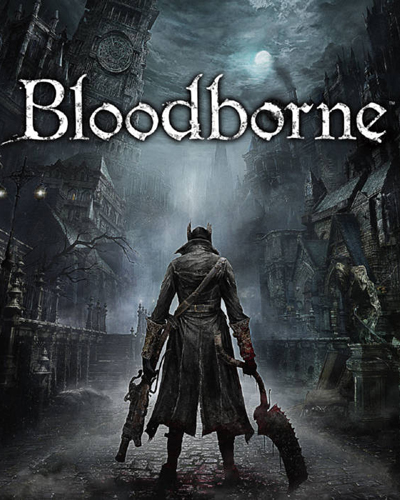
First Few Mins Gameplay
Repack Features
Based on : Bloodborne v1.09 + ShadPS4 v0.5.0 + Mods, thanks to DIGITALZONE
DLCs: Messenger Top Hat DLC, Messenger Yharnam Hat DLC, The Old Hunters
Repack Size : 24.8 GB
Final Size : 29.4 GB
Lossless repack : Nothing removed OR re-encoded
Install Time : 2 – 5 Mins
Greetings : Razor12911, KaOsKrew
Repack By DODI
PLZ SEED , DONT HIT & RUN
Download Links
- Don’t download Mega/Mediafire Links or password files
Torrent – Click Here – or – Click Here –
SwiftUploads – Click Here – or – Click Here –
Hey I need a lot of helppp if anyone is willing to help hit me up in discord please (maestro_marsupial) this is my discord user please help
Anyone else also getting a runtime error concerning GDIPlus.DLL, it happens when i try to run setup
there's some issues with the files, i can't get past the dog at the very start, does anyone have the same issue?
Bylson121, were u able to find the solution?
Luffy, Run the Setup as Admin, that seemed to have worked for me…
Luffy, I was, watch this video https://youtu.be/YeK4dVvvUFE?si=A9ecgT7F4guxIfa0 only listen to the mods section and there it makes the game usable
yuryualucard, Yeah that's not a issue with the files .its a SKILL ISSUESolution – Git Gud
I dont know how to install please anyone can help?
The7th, this port only works with shadps4 emulator
i stuck in the dog in the start of the game i think when i take a damage even before my health get effected the game stop then crach and both the game and the emu colsed any fix please
The7th, Can u explain step by step how to install it ? And what files do i need to download
Honda4fun, What res you playing at ? if your playing at 1080p then switch back to 720p that worked for me
Bylson121, same??? what is the solution
just a heads up: you need a ps controller to play
Honda4fun, same
it does work, but don't bother if you don't hav controller
When will the multiplayer release if it does lmao
Jason_todd, i changed it from the emu patch to 720p but still the same issue , i watch a guide on youtube say it is because the sound folder and give anther file to download but still not working for me same bug when i take damage the game crach
H r a K L a k O S, sad if i found a solution i will tell you
H r a K L a k O S, i find a solution that work for me "BloodbornegamesCUSA00900dvdroot_ps4sfx" in this path of the game i delete all files in the sfx folder and it work for me give it a try and i hope it fix the game for you
Literally Unplayable without mods. please fix it DODI
which is best to download? one link had several bloodborne "parts". do i download them all or the torrent file?
Oliver_Klum, MANI HAD THIS PROBLEM, JUST CHANGE THE SETUP COMPATIBILITY MODE TO WINDOWS 8, IT WORKED HERE
Flux007, fang yuan just buy it from treasure yellow heaven you broke ahh
yuryualucard, Yes, I have the same problem. My game runs perfectly, but when I take damage, it crashes and kicks me out. I’ve tried everything, but nothing worked. If anyone figures it out, let us know because I see many people have the same issue.
Did you guys know that Trump is in Bloodborne?They have been putting him in all sorts of media.Predictive programming for the Antichrist.https://youtu.be/tfm1mZAuJjA?si=4BnQNMlv2BMie8mdTRUMP = 88 in English Gematria.Trump's grandmother:>Elisabeth CHRISTTrump's grandfather:>Frederich CHRIST TrumpTrump's grandmother death date:>6/6/66Trump's mother:>Mary"Donald J Trump" english gematria:>888"Jesus" greek gematria:>888Trump's original german name:>Donald Johann Drumpf (6 6 6 letters)Trump's age on day of inauguration:>70 years, 7 months, 7 daysMeaning of "Donald":>'Ruler of the world'Israel founded:>700 days after Trump's birthIsrael's birthday on Trump's 700th day as president:>70 years, 7 months, 7 daysAleister Crowley wrote a letter on 6/14/1946 regarding news of a "moon child" being born.Trump's birthday:>6/14/1946 (during a blood moon eclipse, the only one of the year)
How many GB do I need to install?
Flux007, I play with a Xbox controller
Danilo, Trump can go and fuck himself in hel!!!. He is a Faggot nobody. The asswipe can't even rule over a piece of shit and even that he is gonna botch up. The only thing that sheepshit dumbass has done uptill now is lie like some retarded idiot. That inferior assclown is part of no game in truth.
reaper_786
the only way to play this cause sony is never letting pc players play bloodborne without an emulator 😂
Running Lossless Scaling makes this run much Smoother for me at 1080p.
The game isn't running..
how to access the dlc can someone help plz
Junior Cardoso, Thank you bro. Worked!
ModRost, Disable windows defender, it worked for me
Bloodborne 1080P 60 FPS https://youtu.be/a19WrLm9gJg
How well could this run on an RX 470? I'm not picky, if it can run at least 20fps at 720p, that'd be great.
is ssd required?
can we get the ShadPS4 v0.7.0 update
can someone help me run this, my discord bassmonclean_26856
do i need a controller to play, cuz my keyboard's not working
dont have the blood drunk hunters eye so cant access dlc. anyone else have this issue?
Junior Cardoso, how to to that bro??
Sasukekc, yes you need a controller
i managed to cheat the eye in right before the amygdala grab and it just teleports me to the hunters dream. The dlc might not be activated or smth in this version.
dasdy, Having the same problem, how could you cheat the item? Did you use save editor or something else?
dasdy, oh actually there is a "force enable the old hunters dlc edition" option in the cheats/patches
SaLTy21, which patch is it? I cant seem to find it. also, the cheat was from a mod i download. bloodborne enhanced lets you buy from a loaded shop at each lantern.
Bro it's not running after I start the game it's shut down,any idea.
dasdy, Figured it out, you need to copy and paste the red highlighted code from this github link ( https://github.com/shadps4-emu/ps4_cheats/commit/8419e97f2f5efe20da816d51d34327a6663a3954 ) into the patches for shadps4. the file path looks like this shadps4folder/user/patches/shadps4/bloodborne.xml
Faker Accc, Just try to run it as administrator
Ayham Ayham, It's easy to do as you only need the game files
Please help friends, After I set my directory shadps4 disappears and a blank CMD opens
do i need emulator or controller or keyboards and mouse works?
can i run it rtx 3050 4 vram ??
how can i add the cheats to the game
and how do you execute the game cause it does not appear on the emu
the installer dosnt work for me, it keeps saying there is runtime errors. ive searched everywhere for solutions, can anyone help
Dhia louati, Yes you can but use the 720p patch and it’s going to be the best 60+ experience(I have 2050 so I know)
same here, I download from torrent, the installer seems not working, it's just show DoDI repack image and that's it… waiting for minutes still just the image… I have recheck the torrent files and still can't install
Naxyrn, did it run?
Muhammad Idris, How To Install 1- Run the installer as administrator 2- Click on the page 3- Press the up arrow on your keyboard 4- Click Install 5- Click Continue
my game crashes when i get hitwhat do i do??
htsrgfdaegdxf, Try turning off your antivirus, it worked for me
Muhammad Idris, thanks, its works, lol arrow up, how to know that..haha
can't access dlc how?
helo where is utorrent for download tnk you
can you please add a link for CUSA00207 because i reached half of the game with this version, but I ruined the files with a mod. I came here te download the original but now found the CUSA00900 version. Would be really grateful if you would help
Ardit Xhanaj, nvm gang found it online, love you
Muhammad Idris, does this actually work on PC?
can play it with my RX5600xt 6gb vram?
Can I play it with keyboard and mouse
rajuan10711, Yes bro it should work, I tried even with GTX 1650 and it ran fine
Extremely funny videos For you, yes
E MO, You have to finish the game first and after you will be able to play DLC
im having this issue even with the compatibility changed
E MO, you have to enable the patch
When i try to open the game it loads for a while and the crashes and closes. Can any one plzzz help
Faker Accc, Did you get the game runing having the same problem??
When I run ShadPS4 and then select bloodborn and press "play". Literally nothing happens. No sounds. No window pop up to show game has started. It closes the emulator and nothing.Am I missing something here?
is there anyone here can confirm that there's actually a DLC installed cuz the item that is required to get access to the DLC doesn't want to appear to me
what are the specs? can it run on 2gb vram with 8 gb ram?
What if I installed mega/mediafire link?Because I did :((Help
aAaGuy, Most likely you got virus
when I try to open the game this pops us
SpadeArk, first open the finilized bloodborn game file then choose the shaq PS4 FROM THERE hopefly it will run
How to get the DLC to work-> Make sure the emulator is closed.Go to BloodborneuserpatchesshadPS4, open bloodborne.xml with a text editor, search "Force enable old hunter dlc", there you will see its false by default, replace "false" with "true". You will get eye that enables DLC. Hope this helps.
use lossless scaling app to get 100+ fps on a working patch, for me its 1440p , also can you do the same for the game Shadow of the colossus? the ps5 version with the better graphics
nice work dodi, the game run really good, and dlc need to enable in patches first before u can run it
Muhammad Idris, اللعبه لو حملتها تشتغل علطول ولا لازم تفعيل؟
stuck on this screen. Only up and down keys work
playable on rx 6650xt and r5 5500?
why is there a 12 part download
darkgate, no
IRoxz ™, same did you solve it i want to play it so baad
what are the mods in this repack?and how can i remove them if i want to?
How to download this game please help me
Ardit Xhanaj, Can you give me the game folder too?
it crashes every time an enemy hits me
The_Annihilator, skill issue
Glad I have nearly zero insterest in playing this game again (already played it many times on my now deceased PS4 lol), this emulation looks like a massive source of headaches, might give it a try when it finally runs flawlessly or Sony decides to port it to PC xD
The_Annihilator, I laughe so har
Cant even boot the game. Getting this error even after installing twice with admin priv, disabling any mods/cheats, updated to latest version of shadPS4 and that didnt help either, tried compatibility modes, disabling full-screen optimisations, running shad as admin, restarting and updating pc, running from exe in directory, running from desktop shortcut, etc.
Animosity, Fixed it! Learnt something knew along the way. Go to windows security > exploit protection > then manually add shadPS4 in the programme section and override the CFG setting to OFF. Not only does this make Bloodborne work but apparently its known to improve fps and reduce stuttering in many games such. Having it off does make you more susceptible to hackers when playing games online but for offline games and emulators could improve fps and performance on different games. But the security risk is why you should not turn off the global setting for CFG, just add the game manually to be the only thing with it turned off 🙂 Hope this helps some people i've seen a few with this issue and finding the solution online was hard.
Lol after finally getting it running im now getting the "crash when hit" issue. Its also not detecting my controller even if i add as a non steam game for steam input :/
Animosity, Tried many different mods such as "remove player light" and none of them fixed the issue until this very specific combinations of mods found here. Install this one mod and no longer crashing from getting hit.
Zekas1, lmaoooooooo
why dlc not work? I killed the boss in cathedral word then touched the skull then returned to hunter dream for collecting item to enter the dlc. i don't find it.
is game workling or not
does someone know how to fix this ?
Seko Seko, Download vertex explostion fix mod from Nexus
Zekas1, Gay issue on your end
broncobuster911, You a fag?
bankroll710, You a fag?
branimir123567690, No and I heard Zekas1 is dead after getting his guts remodeled by his dad's cock.
is this playable on i7 12700k 32gb ramrtx 3070 ti?
whem i reach the second phase of ludwig the cutscene doenst start and the screen stay black while the ost is playing. does anyone know a solution?
Im getting this error while installing, whats the issue?
Aryn, try with internet off and antivirus real time protection off
darkgate, Same, your issue resolved?
I cant find the item to access the dlc ,what could be the problem
JUST BUY A PS4 AT THIS POINT TO PLAY THIS MASTERPIECE, I PLAYED IT BACK IN 2018
Any one have solution???
Reply??
warpathjrjr22, Hello man , how do I enable it , I couldn't find it in the patches menu ?
None of the torrent/ file links working please update. TIA.
Killfrenzy, will be fixed soon
i cant access the dlc , anyone can help me ?
Game-Repack, Hello , why does the dlc not work , how can i fix that please ?
IRoxz ™, I had the same problem. I updated the emulator, and it started working fine
Animosity, Had this issue. You fixed it, thanks twin
while trying to install it says access violation at address 73FF2BE6 in module gdiplus.dll any help would be greatly appreciated
Aryn, hey try this for Unarc.dll Error:https://www.youtube.com/watch?v=cgyj0G_AK6khttps://www.youtube.com/watch?v=w48GeSuDWn4https://www.dll-files.com/unarc.dll.html
Sami Noman, +No it's better on PS5 Pro. But on PC it is even better because you can have 60 fps and mods and even 120 fps I have seen.
Sami Noman, Why you would buy a PS4 I don't know. lol
SUKRI Messenger, did u find a solution ?
SUKRI Messenger, Nah man still waiting🥲😥
game doesnt have the dlc files in user/ adcount
Lee Collins, i said i played it back in 2018 on ps4, i currenty own a pc and a ps5, but i would never run this buggy crap on pc when i own a ps5 ( i said ps4 coz its affordable for everyone)
hi i tried to launch the game but it didnt work
SUKRI Messenger, sup, try redonwload sometimes just torrent diff happen if this dosent help try another seed
khello, before setup press 2 ram limit
Tanzeel, I was never able to fix it, but as ICARUS said "updating the emulator." Ill try that
bloodborne on i7-4770 rx580 with upscaled textures and remastered modshttps://youtu.be/2v37c74ouK4?si=U121To9Gb2jZUmUG
how donwload file?
what now?
Babel, press up arrow key
none of the torrents will work
BigGuwap7, fixed
darkgate, did you find a way
it stuck in the offline online menu only up and down keys work
Arosha, press n to enter
Installing the game takes about 2 minutes, and no .pkg file can be located in the installation folder. Pls help
what is this i dont understand ?
Sound error I can't hear my attacks
when i launch the game shadps4 crashes. why?
Lakshman, taking a wild guess here but thats probably the emulator. Bloodborne is a ps4 exclusive so it has a roundabout way of playing it. Once you get it going you should have minimal issues. You likely have to connect a controller as well.
Shadps4 automatically closes even after updating the application. Why?
Aesso Sayed, wtf do u think bro yes
I get eboot.bin not found. What can I do?
Hey so I ran the installer…and now i'm kinda just at a point where shad opens but there's no game to select. What am I doing wrong here?
Hello would it be possible to update this repack with the lastest shadps4, it has improve a lot since…
There's no dlc in the game, whoever gonna download it be careful
repack with updated version of ShadPS4 when please ?
hazaaaaaaaa, we hope soo
Hakoocr7, Just download the latest version and set the path to the folder the game is installed in
how can i fix this? i've never used this emulator before.
If you are stuck on the screen with no buttons working, you need to download a new version of shadps4 and run the game through it. Then, click on the keyboard button to rebind keys. Make sure you have rebound mouse to joystick, and then click f7 ingame to get the mouse to work.
For those who crash when hit by the first enemy, download this mod: https://www.nexusmods.com/bloodborne/mods/41?tab=files&file_id=1169 and replace the sfx in your Bloodborne game folder Bloodborne>games>CUSA0>dvdrootps4>sfx
Anyone else can't install the game at all? Like all the torrent links send me to something unrelated or say it's expired and the swiftuploads link that works and shows me the swiftuploads folder and I get an access denied when trying to download anything with the download links.
the game doesn't work properly, waste of time
Mateusz Niz, Install the latest Shad version and the all fix patch from modnexus!
For anyone wondering, don’t install the game and run, install only the vanilla game and use the latest version of Shad. After, based on your system, go to downloads mods on modnexus!!
Any clue on how to add Italian language?? It is missing from the game option 🙁
Hibachi1969, nell'ultima versione di ShadPS4 ad esempio non mi legge il file pkg che ho scaricato. Poi quali mods si dovrebbero scaricare dal nexus? é un po troppo generica la tua risposta 🙂
torrent don't work
DenDells, i see it is ok
Help anyone?
where's the .exe found?
i am stuck here pls help me
fitgirlisbetter, it shows me the trailer but nothing
torrent link not working
How to change keybinds there is nothing in input section
This repack is excellent and I thank the author from the bottom of my heart for this. For those who are still unable to play, let me list the steps for you:1. Download and install the repack like any other game. Do not launch the app after installing as the emulator is very outdated.2. Google "shadps4" and download the Qt version from the official site.3. Just open the .zip and paste the files inside Bloodborne main directory, where "shadPS4.exe" is. Delete the "ShadPS4.exe" as it is outdated and you will be using the new .exe you just pasted to launch the game.4. The emulator is pretty stable and game works fine for the most part, aside from a few crashes. But the infamous vertex explosion bug is still there. Google "vertex explosion fix" and download the mod from nexusmods. Open the .zip file, navigate to the Bloodborne installation directory, open the "games" folder, open the "CUSA00900" folder, and then copy and replace the dvdroot_ps4 folder from the downloaded .zip file into the "CUSA00900" folder. THE VERTEX EXPLOSION FIX WILL DISABLE FACE CUSTOMIZATION, WHICH IS A MINOR INCONVENIENCE, AS YOU WILL STILL BE ABLE TO CUSTOMIZE YOUR CHARACTER'S GENDER, ORIGIN, HAIR, HAIR COLOR, EYES AND EYE COLOR. YOU CAN EVEN ADD GLASSES, SO THIS IS NOT A PROBLEM AT ALL IN MY OPINION. WITHOUT THE VERTEX EXPLOSION MOD FIX, YOU WILL EXPERIENCE TEXTURE GLITCHES AFTER PLAYING FOR A WHILE, SO THIS IS THE ONLY CRUCIAL MOD YOU NEED.5. Launch the emulator using the new .exe file. Open up Version History and download the latest version. It is pretty easy, the emulator will direct you to this step if you miss.6. Open up "Settings" (gear icon in emulator), change settings to Fullscreen and set the resolution.7. Select the keyboard icon and set your controls to whatever you want. Set "Mouse to Joystick" to "Right". Set the "Speed Multiplier" bar to 2.5 or above for increasing mouse sensitivity in-game. Now when you press F7 in game, the mouse will work as intended.8. Right click the game, Select "Game-Specific settings", "Configure Game-specific settings" and use the same settings that you use in "Global Settings".9. Right click the game, select "Cheats / Patches", and navigate to the Patches tab. Go down to "Select Patch File" and select "Bloodborne.xml | shadPS4". Download any patches if the emulator prompts you to. Enable the "Force Enable Old Hunters DLC" checkbox to play DLC (it is included in this repack). Check "Disable Chromatic Aberration" and "Disable Motion Blur". These are all the patches you need. If you use Intel CPU 12th gen or later, check the sfx fix patch accordingly. Do not use the 60 fps patch or resolution upscaling patches as they may cause more crashes or soft-lock your game. THAT'S IT. YOU CAN ENJOY THE GAME. IF YOU HAVE A LOW END PS4 EQUIVALENT PC WITH A GTX 1050TI OR RX 570, YOU SHOULD BE FINE AT 1080P 30 FPS. The emulator is optimized enough now. But do not crank up the settings even if you have a higher end pc as the game will crash. It was designed to run on the base PS4. I have a decent pc and I still play at 1080p default settings. You can use Cheats if you wish, by right-clicking the game and selecting "Cheats / Patches", opening the "Cheats" tab and selecting "CUSA00900_1.09_shadPS4.json" under "Select Cheat File". Some cheats will crash the game. I only recommend using the "Infinite BloodEcho" and "Infinite Stamina" cheats if you are having a difficult time in the game. That's all. Enjoy the masterpiece. And remember to thank the repack author and DODI for linking us to this page. DO NOT EVER SHARE THE LINK ON SOCIAL MEDIA AS IT MAY CAUSE THE REPACK TO BE TAKEN DOWN. Thank you!
SnooBeans1450, Thank you so much for this! For those the option isn't there, you have to add it. The guide is here: https://www.reddit.com/r/BloodbornePC/comments/1kcodgm/enable_the_old_hunters_dlc_with_these_procedures/
SnooBeans1450, Thank you so much for this! For those this option isn't there, you have to add it. See this guide: https://www.reddit.com/r/BloodbornePC/comments/1kcodgm/enable_the_old_hunters_dlc_with_these_procedures/