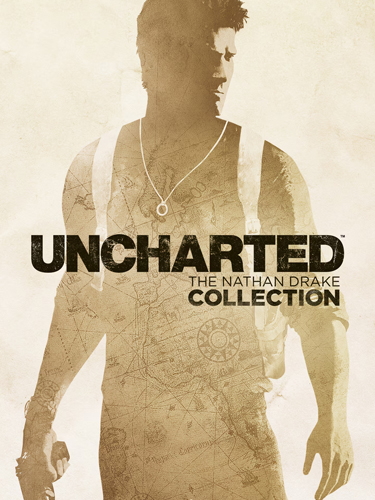
Title: Uncharted: The Nathan Drake Collection
Genre: Action, Adventure
Developer: Bluepoint Games
Publisher: Sony
Release Date: 2015
MINIMUM SYSTEM REQUIREMENTS
Requires a 64-bit processor and operating system
OS: 10 (1903 or later) or Windows 11, 64-bit
Processor: Intel Core i5
Memory: 8 GB RAM
Graphics: A graphics card with Vulkan 1.3 and a current driver (with 6 GB Vram)
DirectX: Version 11
Storage: 59.5 GB
Uncharted 1, 2 and 3 from the PS4 collection running natively on Windows 10 and 11, by SuperMedo.
Original PS4 game code runs directly on your PC and the graphics are translated to Vulkan. Unpack the zip, start Uncharted.exe, pick your game folder, choose a game and press PLAY
1- Run the installer as administrator
2- Click on the page
3- Press the up arrow on your keyboard
4- Click Install
5- Click Continue
6- Select installation destination
7- Click Next
8- Select component
9- Install
– Uncharted.exe opens the launcher. On the Game page choose your game folder, pick
Drake’s Fortune, Among Thieves or Drake’s Deception on the Play page and press PLAY.
– Play Uncharted.exe starts the game straight away with the settings saved in the
launcher, without opening it (for shortcuts and Steam). Uncharted.exe –play does the same.
– Play page -> “Add to Steam” adds the collection to your Steam library, with its cover
from your game folder. “Desktop shortcut” puts it on the desktop.
– Your own covers: put u1.jpg, u2.jpg and u3.jpg (and a wide collection_banner.jpg for the
top of the Play page) in a folder named art next to Uncharted.exe. Updates keep it.
– Display page -> Frame rate: 60 FPS as on PS4, or 120 FPS. Gameplay keeps its normal speed
and the cutscene videos still play at 60. Higher rates are experimental. Above your
display’s refresh rate use the Mailbox or Immediate presentation.
– Display page -> Anti-aliasing: TAA, AMD FSR 3.1, AMD FSR 4 or NVIDIA DLSS (DLAA) smooth the
games’ 1920×1080 picture with their own motion vectors, before their post-processing.
DLSS needs a GeForce RTX. Upscaling to a larger window or screen stays with FSR 1.
– Display page -> Frame generation: AMD FSR 3 Frame Generation (any GPU, 2x) or NVIDIA DLSS
Frame Generation (GeForce RTX 40: 2x, RTX 50: up to 4x) shows frames made between two of the
game’s: 60 FPS becomes 120 (or 240). Use the Mailbox or Immediate presentation and a display
with that refresh rate. Menus and cutscene videos are shown as they are.
– Controls page: keyboard, mouse and controller work together, all remappable.
Defaults: WASD move, mouse look, left button fire (R2), right button aim (L2), Space Cross,
C Circle, F Square, E Triangle, Q/G L1/R1, Left Shift/V L3/R3, arrows and wheel d-pad,
Escape/Enter Options, Tab touchpad. The cursor stays in the game window; hold Left Alt to
free it. Insert opens the in-game settings menu. Bindings are saved in input.ini.
Data
– Saves and shader caches: user\ next to Uncharted.exe (the launcher can pick another folder).
– Launcher options: %APPDATA%\uncharted-launcher. Generated files (prepared game image): out\.
– The log of the last run: user\last_run.log (the launcher’s Log page shows it live).
Updates
– The launcher looks for a new version when it starts and offers it on the left: Update
downloads it, closes the launcher, installs it over this folder and opens it again.
Saves, settings, input.ini and out\ are kept. Advanced page -> Updates turns the check off
or runs it now.
Known problems
– Uncharted 3, Cartagena square (chapter 2): at high frame rates the game could close with
“GPU crash: the graphics device was lost”. Fixed in 0.3. If it still happens, set Frame
rate to 60 on the Display page.
– Uncharted 3: green or black shapes can flash for one frame on some characters (also in
shadPS4). Not fixed yet.
Port by SuperMedo.
First Few Mins Repack Gameplay
Repack Features
Based on: Game File CUSA02343, CUSA02320, … + Uncharted: The Nathan Drake Collection for Windows by Supermedo (github.com/Supermedo/uncharted_pc)
Game Version: 1.0
Languages: MULTi23
– Language can be changed in Launcher
Repack Size : 30.4 GB
Final Size: 59.5 GB
Lossless repack: Nothing removed OR re-encoded
Install Time : 1 – 5 Mins
Greetings : Razor12911, KaOsKrew
Repack By: DODI Team
PLZ SEED , DONT HIT & RUN
How to play
1- Start Uncharted.exe.
2- On Game Icon, choose your ‘game’ folder (the one with eboot.bin).
3- Press PLAY
Download Links
- Don’t download Mega / Mediafire / OneShare / WeUpload / One Drive Links or password files
- Don’t follow pop ad pages, Stay in download page
Torrent – Click Here – or – Click here – or – Click Here –
SwiftUploads – Click Here –
FileKeeper – Click Here –
DataNodes – Click Here –
- All file hosting links are interchangeable