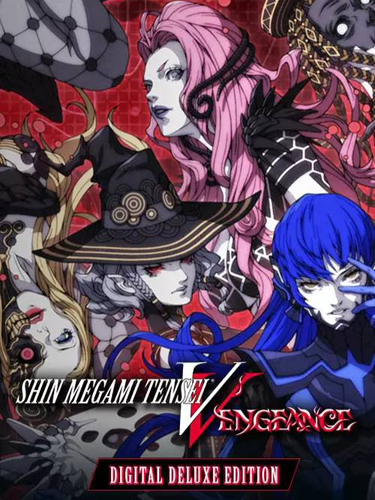
Title: Shin Megami Tensei V: Vengeance
Genre: Adventure, RPG
Developer: ATLUS
Publisher: SEGA
Franchise: Shin Megami Tensei
Release Date: 14 Jun, 2024
MINIMUM SYSTEM REQUIREMENTS
Requires a 64-bit processor and operating system
OS: Windows 10 / 11
Processor: Intel Core i5-2400 or AMD FX-6350
Memory: 6 GB RAM
Graphics: NVIDIA GeForce GTX 550 Ti, 1 GB or AMD Radeon HD 7750, 1 GB
DirectX: Version 12
Storage: 31 GB
Become a mighty demigod and battle through a decimated Tokyo in a war between angels and demons. Make new allies along your journey, engage in intense, turn-based combat, recruit hundreds of demons and forge your own path to dictate the fate of all existence.
1- Run the installer as administrator
2- Click on the page
3- Press the up arrow on your keyboard
4- Click Install
5- Click Continue
6- Select installation destination
7- Click Next
8- Select component
9- Install
First Few Mins Gameplay
Repack Features
Based on Steam Release Build 17140961
– Shin Megami Tensei V: Vengeance (Hypervisor) (INTEL & AMD) – DenuvOwO , available after install in _Crack folder
– VBS v1.2 available in crack folder
Game Version: v1.0.3
DLCs :
2107725=Shin Megami Tensei V: Vengeance – 2 Sacred Treasure Sets
2107724=Shin Megami Tensei V: Vengeance – Safety Difficulty
2107723=Shin Megami Tensei V: Vengeance – Mitama Dance of Wealth
2107722=Shin Megami Tensei V: Vengeance – Mitama Dance of EXP
2107721=Shin Megami Tensei V: Vengeance – Mitama Dance of Miracles
2107720=Shin Megami Tensei V: Vengeance – Demon Subquest – Sakura Cinders of the East
2106500=Shin Megami Tensei V: Vengeance – Demon Subquest – Holy Will and Profane Dissent
Language : English, French, Italian, German, Spanish – Spain, Polish, Russian, Turkish, Portuguese – Brazil, Japanese, Korean, Simplified Chinese, Traditional Chinese
– Audio: English, Japanese
Repack Size : 26 GB
Final Size : 31 GB
Lossless repack : Nothing removed OR re-encoded
Install Time : 3 – 10 mins
Greetings : Razor12911, KaOsKrew
Repack By DODI
PLZ SEED , DONT HIT & RUN
How to Play The game !
1- Copy the contents of the “DenuvOwO” folder to the game folder
2- Run VBS.cmd as administrator
3- Press 1, restart computer, then on the next boot press F7 when new window will show up (driver signature OFF)
4- Start the game via launcher.exe (Project\Binaries\Win64\launcher.exe) as administrator
Download Links
- Don’t download Mega / Mediafire Links or password files
Torrent – Click Here – or – Click here – or – Click Here –
SwiftUploads – Click Here – or – Click Here
DataNodes – Click Here – or – Click Here
how to change language